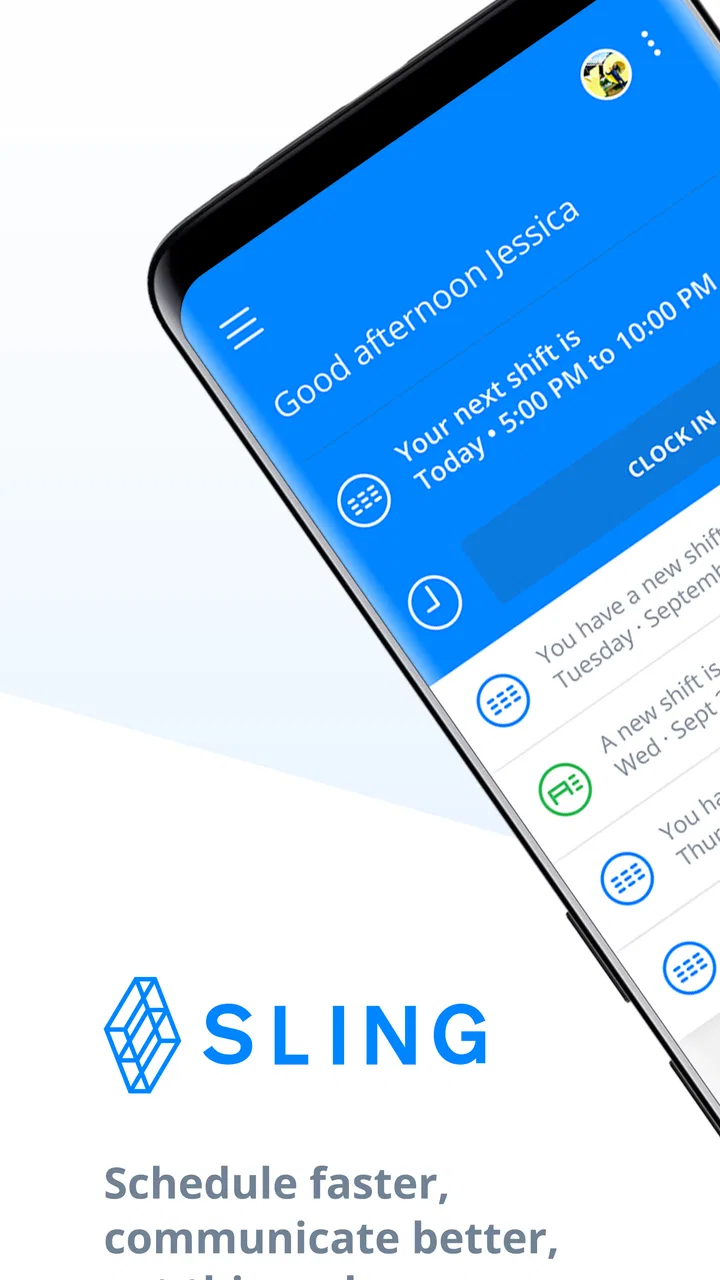
Sling: Employee Scheduling App
- 4.2
- Rating
- 1.00M
- Installs
- Free
- Price

 Analysis by App-foxy
When a workplace schedule lives in a group chat, a spreadsheet, and three people’s memories at once, even a simple shift change can become surprisingly difficult. I tried Sling as a communication app built around employee scheduling, and its main strength is that it gives the schedule a central place instead of treating availability and changes as scattered messages. It is free, aimed at everyone from an age-rating perspective, and developed by Sling Inc. The result is most useful when a team needs a shared view of who is working, when they are working, and what has changed.
I would not describe it as a general-purpose chat app with a calendar attached. Its focus is narrower and more practical: helping a manager publish work times and helping employees keep up with those decisions. That focus is exactly why it can feel clearer than ordinary messaging for shift-based teams, although it also means it is not automatically the best choice for every organization.
From an empty schedule to a working shift plan
I look at the first shift plan as more than a calendar exercise: it is a chance to decide what employees should treat as official and how the team will handle changes. In this section, I focus on the small setup habits that make Sling easier to rely on later, especially when a schedule is still taking shape. That foundation leads naturally to the next question: how the workflow holds up when the team is busy.
You May Also Like

 Blood Strike: 2.5 Anniversary
Blood Strike’s Loadouts Turn Every Drop Into a Tactical Gamble
A close look at Blood Strike’s custom loadouts: how fast access to signature weapons reshapes its battle royale rhythm, rewards preparation, and narrows the gap between fights.

 Pandora - Music & Podcasts
Pandora’s Music Is Easy to Start, but Harder to Recover
Pandora’s strength is its low-effort path from a seed to a station. Its weak spot is how much confidence it asks you to place in connection, setup, and quiet recovery.

 8 Ball Pool
 Is Built on Rivalries, Rematches, and Routine
A close look at the rivalries, rematches, shared routines, and unanswered safety questions that turn a quick pool match into a persistent mobile community.

 Samsung Music
’s Quiet Strength Is Playing What You Already Own
Its reach comes less from spectacle than from dependable access to a personal library. That simplicity is both the app’s strongest retention engine and its ceiling.

 AccuWeather: Weather Radar
AccuWeather Review: A Quick, Clear Forecast for Everyday Decisions
For everyday plans, the best forecast is the one you can understand quickly. AccuWeather makes rain timing, radar, and local conditions easy to act on, with a few trade-offs.

 Hill Climb Racing
Why Hill Climb Racing Still Turns Crashes Into One More Run
A tiny car, a bumpy hill and one more upgrade: Hill Climb Racing keeps resurfacing because its simple chaos makes every near-miss feel personal.
More From Our News Desk



The starting condition: too many moving parts
The most realistic starting point for Sling is a team whose schedule changes often. Think of a café, shop, salon, restaurant, or service business where one person opens, another covers the busiest period, and someone else closes. Before using a dedicated scheduling tool, the manager may create a spreadsheet, send a message, and then answer individual questions about availability. Employees may also keep their own notes, which makes the latest version difficult to identify.
In that situation, the first useful habit is to treat the app as the schedule people should check before asking questions. That sounds obvious, but it changes the workflow. Instead of beginning with “Who can cover this?” in a group conversation, a manager can first look at the planned shifts and then communicate the specific gap. Employees likewise have a clearer starting point when they want to understand their week.
The app belongs to the communication category, but its communication value comes from context. A message about a shift is more useful when it is connected to the schedule rather than floating in a busy conversation. I found that distinction especially important for teams where employees do not work the same hours and cannot rely on seeing every message immediately.
Building the schedule in a way people can read
The practical test is not whether a manager can create a schedule, but whether the finished schedule is understandable at a glance. Sling works best when shifts are entered with enough structure that employees can quickly recognize their own responsibilities. A schedule that is technically complete but visually confusing still creates questions, so I would keep naming and timing consistent from the beginning.
For a small team, this can be a straightforward weekly routine: prepare the upcoming shifts, review overlaps, and then use the published plan as the shared reference. For a larger team, the important discipline is to avoid making private adjustments that never reach everyone else. Any change should be reflected in the central schedule or clearly communicated through the app’s available communication workflow.
One useful, less obvious approach is to use the schedule as a handoff document, not just a list of hours. When a manager prepares the next work period, they are also preparing the information an employee needs to arrive with the right expectations. That makes the review stage valuable: check who is opening, who is closing, where coverage is thin, and whether a change would create confusion for the next person.
What the employee sees after publication
From an employee’s perspective, the important question is usually simple: “When am I working, and has anything changed?” A dedicated scheduling app reduces the need to search through old messages for the answer. I would still encourage employees to check the schedule regularly rather than assuming that the first version they saw is permanent, especially in workplaces where coverage changes are common.
This is also where expectations matter. Sling can organize the schedule and support communication around it, but it cannot remove the human responsibility to read updates and respond when a manager needs confirmation. A team that ignores notifications, messages, or schedule changes will still have coordination problems. The app makes the information easier to organize; it does not make attention unnecessary.
The handoff between manager and employee
The most important handoff is the moment a planned shift becomes an understood commitment. A manager creates or adjusts the schedule, employees review it, and both sides need to know which version is current. In my view, this is where Sling is more useful than a basic calendar. A personal calendar tells one person what they believe is happening. A shared scheduling system gives the team a common place to verify it.
There is a subtle trade-off here. Centralization improves clarity, but it also makes the app part of the workplace routine. If only the manager uses it and employees continue relying on texts, the benefit is diluted. The rollout therefore needs a simple rule: the schedule in Sling is the first place to check, and direct messages are for exceptions or questions rather than for maintaining a second unofficial schedule.
For a new employee, that rule can be especially helpful. Instead of learning a manager’s personal method of sending schedules, the employee learns where the team’s current plan lives. For a manager, it reduces the need to repeat the same shift details individually. The handoff becomes less dependent on someone remembering who has already been told.
A realistic everyday scenario
Imagine a small retail team preparing for a busy weekend. The manager creates the shifts and checks that the opening and closing periods are covered. One employee later realizes they cannot work one of the planned times. Rather than editing a spreadsheet and sending several separate messages, the manager can use the shared scheduling workflow to address the change and make the new arrangement visible to the people affected.
The value is not simply saving a few taps. The useful outcome is that the next employee does not arrive based on an outdated message. A schedule change has a chain of consequences: the person giving up the shift, the person accepting it, the manager approving it, and the colleague relying on that coverage. Sling is most helpful when the team treats that chain as one process instead of four disconnected conversations.
My practical tip is to make the final check part of the routine. After a change, look at the complete schedule again rather than only the edited shift. That catches secondary problems such as an uncovered period or an employee who now appears in two places at once. The app can make the change easier to share, but the manager still needs to review the result as a whole.
Where the workflow feels efficient
The clearest advantage is the shared view. A spreadsheet can work for a very small group, but it often depends on careful file management and manual communication. A group chat is quick for conversation, yet poor at preserving a clean schedule once messages accumulate. A personal calendar is good for an individual’s reminders, but weak as the team’s source of truth. Sling sits between those options by making scheduling the center of the communication experience.
It is also a sensible fit for teams that do not need a complicated enterprise system. The free price removes a major barrier for a small business testing a more organized process. The app has reached over a million installs, and its average rating is 4.5 from around ten thousand ratings, which suggests that many people find the basic idea useful in practice. I would treat those figures as signs of adoption rather than proof that every workplace will enjoy the workflow.
The current version is 1.90.74, and the app has been available since January 7, 2015. Those details matter less than daily usability, but they do show that this is an established scheduling product rather than a brand-new experiment. It supports devices running at least iOS 9, making its stated operating-system requirement relatively accommodating for older compatible devices.
Three practical habits that improve the outcome
First, separate planning from last-minute rescue work. I would prepare the regular schedule in one pass, then handle exceptions as exceptions. Constantly rebuilding the whole schedule whenever one shift changes makes it harder for employees to understand what is stable and what is temporary.
Second, use the schedule to clarify responsibility, not merely attendance. If a shift has an opening or closing role, the relevant person should be able to identify that responsibility without asking in a separate conversation. This reduces the number of handoffs that depend on memory.
Third, ask employees to verify changes at the point where they matter. A manager may think a replacement is arranged, while the incoming employee has not actually seen the update. The safest workflow is one where the person affected acknowledges the change through the team’s normal process before everyone assumes the problem is solved.
These habits are not flashy features, but they are where a scheduling app earns its place. The software can organize information; the team’s process determines whether that organization leads to fewer mistakes.
What Sling does not replace
I would not use Sling as a substitute for every workplace tool. It is not the right answer for a company looking primarily for project planning, document collaboration, customer support, or a broad social chat environment. A team that rarely works in shifts may gain little from adopting a dedicated scheduling workflow when a shared calendar already handles its needs.
It may also be a poor fit for a workplace that refuses to establish one official schedule. If managers continue changing plans in private texts, employees will still wonder which message is current. Likewise, employees who need detailed personal time management may prefer to copy confirmed shifts into their own calendar as a second reminder. That can be useful, but it should not create a competing version of the schedule.
Another limitation is the human cost of change management. Some employees may find a new app less convenient than receiving a familiar message, particularly if their schedule is stable and they rarely need to check updates. Managers should explain the benefit in concrete terms: fewer repeated questions, clearer changes, and one place to review the plan. Without that explanation, adoption can feel like extra administration.
How it compares with familiar alternatives
Compared with a spreadsheet, Sling offers a more natural path from schedule creation to team communication. A spreadsheet may provide flexibility, but it often leaves the manager responsible for exporting, sending, and explaining updates. Sling is better when the schedule needs to remain connected to the people who follow it.
Compared with group messaging, it is easier to preserve the current plan. Chat is excellent for quick questions and urgent context, but a long conversation is not a dependable archive of working hours. Sling’s focused structure is preferable when the same schedule must be checked repeatedly by different people.
Compared with a basic calendar, the advantage is the workplace perspective. A calendar is usually organized around one person’s events. Sling is designed around employee shifts and the handoffs surrounding them. However, a personal calendar can still be the better companion for someone who needs travel time, family commitments, or reminders outside the workplace schedule.
Compared with a larger workforce-management platform, Sling may feel more approachable for a smaller operation that wants scheduling without adopting a broad administrative system. The trade-off is that businesses with complex compliance, payroll, forecasting, or deeply customized operations may eventually need a more specialized platform. I would choose Sling for clarity and routine coordination, not as an automatic replacement for every business process.
The points where the flow breaks
The first break occurs when availability is not kept current. A published schedule can only be as useful as the information behind it. If an employee’s circumstances change and the team does not update the relevant details or communicate the issue, the app cannot infer the problem.
The second break is ambiguous ownership. A message saying that someone “might” cover a shift is not the same as a confirmed handoff. Managers should avoid treating interest as agreement. The schedule should reflect the actual decision, and the affected employees should know when the change is final.
The third break is notification overload or notification neglect. If every minor discussion becomes a message, important updates can be buried. If employees silence everything, urgent changes may be missed. I would keep routine scheduling information in the schedule itself and reserve direct communication for decisions, exceptions, and questions that genuinely need attention.
The fourth break is incomplete review. A manager may solve one absence but overlook the shift immediately before or after it. Looking at the full day or week after an edit is a small habit with a large payoff, particularly for opening and closing duties where one missing person can affect the next handoff.
Who should install it
I recommend Sling to small and medium-sized shift-based teams that currently depend on a mixture of spreadsheets, texts, and verbal updates. It is especially suitable when employees need a shared schedule that remains connected to workplace communication and when the manager wants a free starting point rather than a costly system.
I would be more cautious for a solo worker, a team with very predictable hours, or a company that already has a well-adopted scheduling platform with stronger business-management tools. In those cases, adding another app may create duplication instead of clarity. The best reason to install Sling is not that scheduling apps are fashionable; it is that the current handoff process is causing real confusion.
My final assessment
After following the workflow from schedule preparation through employee handoff and last-minute change, I see Sling as a focused, practical communication app rather than an all-purpose workplace suite. Its strongest contribution is giving shift information a shared home and making the path from manager decision to employee awareness easier to follow.
The app is free, rated for Everyone, and comes from Sling Inc. It has a 4.5 average across roughly ten thousand ratings, with about two thousand written reviews, and more than a million installs. Those figures indicate a substantial audience, but my recommendation rests on the workflow: if your team needs one current schedule and a cleaner way to manage changes, Sling is worth trying before you invest in a heavier system.
I would install it with one clear team agreement: the shared schedule is the official version, changes are confirmed rather than assumed, and employees check the app before relying on old messages. With that habit in place, it can turn a fragile chain of texts and memory into a more dependable daily routine. Without it, even a well-organized scheduling app will only document confusion instead of solving it.
FAQs for Sling: Employee Scheduling App
01What features does the Sling app offer for employee scheduling?
Sling provides a comprehensive suite of features to streamline employee scheduling. It includes shift creation, calendar synchronization, time-off requests, and availability management. Additionally, it offers communication tools like group messaging and announcements. These features aim to enhance workforce management and improve team collaboration, saving both time and effort for managers.
02Can I use Sling for free, or is there a cost involved?
Sling offers a free version with basic scheduling and communication features. However, for advanced functionalities such as reporting and labor cost management, there are premium plans available. These paid options are designed to cater to larger teams or businesses requiring more robust management tools.
03Is Sling compatible with both Android and iOS devices?
Yes, Sling is available for both Android and iOS platforms, ensuring seamless access across different devices. This cross-platform compatibility allows employees and managers to stay connected and manage schedules on the go, whether using a smartphone or tablet.
04How secure is the data within the Sling app?
Sling prioritizes user data security by employing robust encryption protocols and secure authentication measures. The app ensures that sensitive information, such as employee schedules and personal details, is protected against unauthorized access, providing peace of mind to both employers and employees.
05Can Sling integrate with other business tools and software?
Sling offers integration capabilities with various business tools such as payroll systems and calendar applications. This feature allows for streamlined operations and minimizes the need for manual data entry, enhancing overall efficiency. Integrations help businesses maintain consistency across different platforms and tools.
Pros
- Intuitive interface for easy navigation.
- Real-time shift updates and notifications.
- Seamless integration with other platforms.
- Customizable scheduling to fit business needs.
- Supports team communication and collaboration.
Cons
- Limited features in the free version.
- Occasional sync issues with calendars.
- Requires stable internet connection.
- Learning curve for beginners.
- Some reports lack detailed insights.

Sling: Employee Scheduling App
Gallery